Resources
Official Thai websites & downloads
A clear directory of official portals foreigners often need — with placeholders where URLs still need confirming. Always verify on the government domain.

New government app
THIM — Thai Immigration
THIM (Thailand Immigration Management) is the official Immigration Bureau app for foreign nationals travelling to Thailand. It works alongside the mandatory Thailand Digital Arrival Card (TDAC) — it does not replace TDAC.
The app is in a voluntary pilot now. Public communications point to a broader mandatory role for arrival-card submission from August 2026. Rules can still change — always check Immigration notices for your travel date.
Full THIM guide on ThaiPlot → · TDAC guide on ThaiPlot →
Install only listings published under Royal Thai Police / Immigration. Fake “TDAC for a fee” sites are scams — the official TDAC is free.
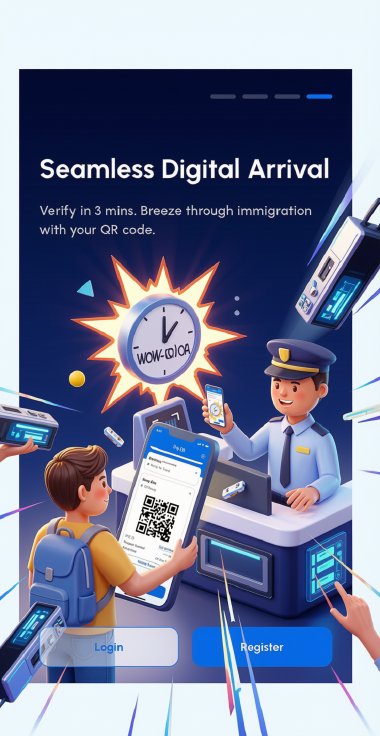
What is THIM?
THIM stands for Thailand Immigration Management. It was built with Digital Identity Co., Ltd. for the Immigration Bureau and runs on AWS infrastructure in the Asia Pacific (Bangkok) region, so traveller data stays under Thai jurisdiction as required.
Think of TDAC as the arrival-card duty, and THIM as the wider mobile platform around it: traveller profile, Digital ID / KYC checks, notifications, and links toward other government services. Over time Immigration wants THIM to cover more of the foreigner journey — not only the airport queue.
THIM and TDAC — how they fit together
The TDAC replaced the old paper TM6 arrival card (from 1 May 2025). Non-Thai travellers arriving by air, land or sea must complete the TDAC within 72 hours before arrival. THIM can help you do that digitally — it does not cancel the TDAC requirement.
| Topic | TDAC | THIM |
|---|---|---|
| What it is | Thailand Digital Arrival Card | Thailand Immigration Management app |
| Main job | Submit required arrival information before entry | Broader platform: TDAC flow, profile, Digital ID, alerts, more services over time |
| Where | Official web: tdac.immigration.go.th | iOS App Store and Google Play |
| Required for entry? | Yes — for foreign travellers (current rules) | Alongside TDAC; does not replace it today |
| Repeat trips | New submission each trip | Saved profile can make later submissions much faster |
Until Immigration says otherwise: complete your TDAC before you travel, with or without THIM. The TDAC is free. Any site that charges for a “TDAC” is a scam — use only tdac.immigration.go.th or the official THIM app.
What THIM offers now
- TDAC-style arrival submission in the app, with passport scanning (OCR)
- Group submission for several travellers in one flow (up to about 10)
- Reusable traveller profile for passport and personal details
- Digital ID / KYC-style identity checks against immigration records
- Reminders for TDAC deadlines and travel dates
- Ability to amend details if plans change (within the app’s rules)
- Links toward other services (for example Tourist Police references in public materials)
How the arrival card works in practice
You can fill most fields early, but the health declaration typically unlocks only inside the 72-hour window before arrival. Until that step is done, your QR / submission is not finished.
If you forget at home, you can still complete it on your phone on the way to the airport — better than nothing, but finishing early is calmer. First setup (passport scan + identity checks) often takes a few minutes; later trips with a saved profile can be much quicker. Manual entry is available if you prefer not to use the camera.
Details that matter
- Names must match the passport exactly, including middle names — one wrong character can mean redo or delay at the counter.
- On a long-stay visa without a fixed exit date, use the “I cannot provide a departure date” option instead of guessing a date that conflicts with your stamp.
- The health questions about countries visited in the prior 14 days mainly screen yellow-fever risk; from endemic countries you may need vaccination details or an upload.
- District / subdistrict fields for accommodation confuse many people; a small mismatch there is usually less critical than a wrong passport name — copy the address from a reliable map listing if unsure.
How to download THIM
- Open the App Store or Google Play on your phone.
- Search “THIM” and confirm the publisher is Royal Thai Police / Immigration before installing.
- Create your profile once with passport and personal details.
- On later trips, mainly update flight, arrival date and accommodation.
If Android shows “device not compatible” (seen on some older Android 10 devices), update Play Store and clear its cache. The TDAC website remains a full backup: tdac.immigration.go.th.
What is planned next
Immigration has described a wider rollout (including a stronger mandatory role from August 2026). Announced directions include:
- Online queue / appointment booking at immigration offices
- Visa extension paths via e-Extension-style services
- 90-day residence reporting for long-stay foreigners
- Digital documents and stay certificates
- More automated border processing for additional nationalities
- Longer-term “super app” vision for tourists, expats and long-stay workers — modules arrive in phases
Before you arrive — short checklist
- Complete TDAC within 72 hours of arrival via tdac.immigration.go.th or through THIM once the window is open.
- Finish the health declaration — without it the submission is incomplete.
- Keep a screenshot of your QR code as backup, even if officers often verify via passport scan.
- Double-check every name field against your passport.
- Use only the official portal or the official THIM app under Royal Thai Police — never pay a third-party “TDAC fee”.
ThaiPlot is not Immigration and does not give immigration advice. We summarise public information so you know where to look — confirm everything on official channels before you fly.
Immigration & visas
Entry, extensions, notifications and long-stay programmes.
- Open →Immigration BureauOfficial
Main immigration portal — offices, news and service information.
https://www.immigration.go.th
- Open →Thai e-VisaOfficial
Official electronic visa application system.
https://www.thaievisa.go.th
- Open →Thailand Digital Arrival Card (TDAC)Official
Official free arrival-card portal for foreign travellers (within 72 hours before arrival).
https://tdac.immigration.go.th
- Open →THIM app (Google Play)Official
Official Thailand Immigration Management app — also available on the App Store.
https://play.google.com/store/apps/details?id=th.go.immigration.thim
- SoonTM30 address notificationPlaceholder
Placeholder for the current landlord/address notification channel used in your area.
URL TBD — confirm on site / at the office
- Open →LTR visa (BOI)Official
Long-Term Resident programme information.
https://ltr.boi.go.th

Land & titles
Department of Lands and title-related portals.
Driving & transport
Department of Land Transport — licences and vehicle matters.
Tax & revenue
Revenue Department services used for tax ID and filings.
Digital government
Digital ID and e-government entry points (confirm current apps).
- SoonThaID / digital ID appPlaceholder
Placeholder — confirm the current official app store listing before installing.
URL TBD — confirm on site / at the office
- Open →Digital Government Development AgencyOfficial
Digital government programmes and related services.
https://www.dga.or.th
Other official portals
Foreign affairs and additional services often requested of foreigners.
- Open →Ministry of Foreign AffairsOfficial
Consular information and MFA services.
https://www.mfa.go.th
- SoonPolice clearance / certificatePlaceholder
Placeholder for the official channel for criminal-record certificates used in visa files.
URL TBD — confirm on site / at the office
- SoonSocial Security / other formsPlaceholder
Placeholder for additional downloadable forms sometimes requested by employers or offices.
URL TBD — confirm on site / at the office
How to use this page
- Prefer links marked Official — they point to known government domains.
- Placeholder rows are reserved for forms or portals we still need to verify; do not treat them as live downloads.
- Download only from the official site after you land there — ThaiPlot does not host PDF forms.
- Keep offline copies of receipts and application numbers yourself.
Related guides on ThaiPlot
The information on this site is for general informational purposes only and does not constitute legal, financial, tax, medical or lifestyle advice. Always seek independent professional advice before property transactions or health decisions in Thailand. → Read our full disclaimer